








How to install our MCP

Josh Feiber
July 8, 2026
MCP (Model Context Protocol) is the standard that lets AI assistants like Claude and ChatGPT connect to outside tools. august ships an MCP server, which means you can interview your Twins, run focus groups and pull results without leaving your assistant.
Everything runs through one URL:
https://mcp.getaugust.ai/mcp
In Claude, august installs in one click from the connector directory. In Cursor, one click from the button below. In ChatGPT you add it as a custom connector. Either way, the first time you connect you'll be asked to sign in with your august account. If you don't have one, create it at app.getaugust.ai first.
Claude
august is a community connector in Claude's directory. Connectors are available on Claude's paid plans (Pro, Max, Team and Enterprise).
Open august's listing in Claude's connector directory.
Click the add button in the top right. On Team and Enterprise it reads Add to your team.
Note
Some orgs only let owners and admins add connectors. If the add button doesn't appear in the top right for you, send your org admin the listing link and they can install august in one click:
https://claude.ai/directory/connectors/august-digital-twins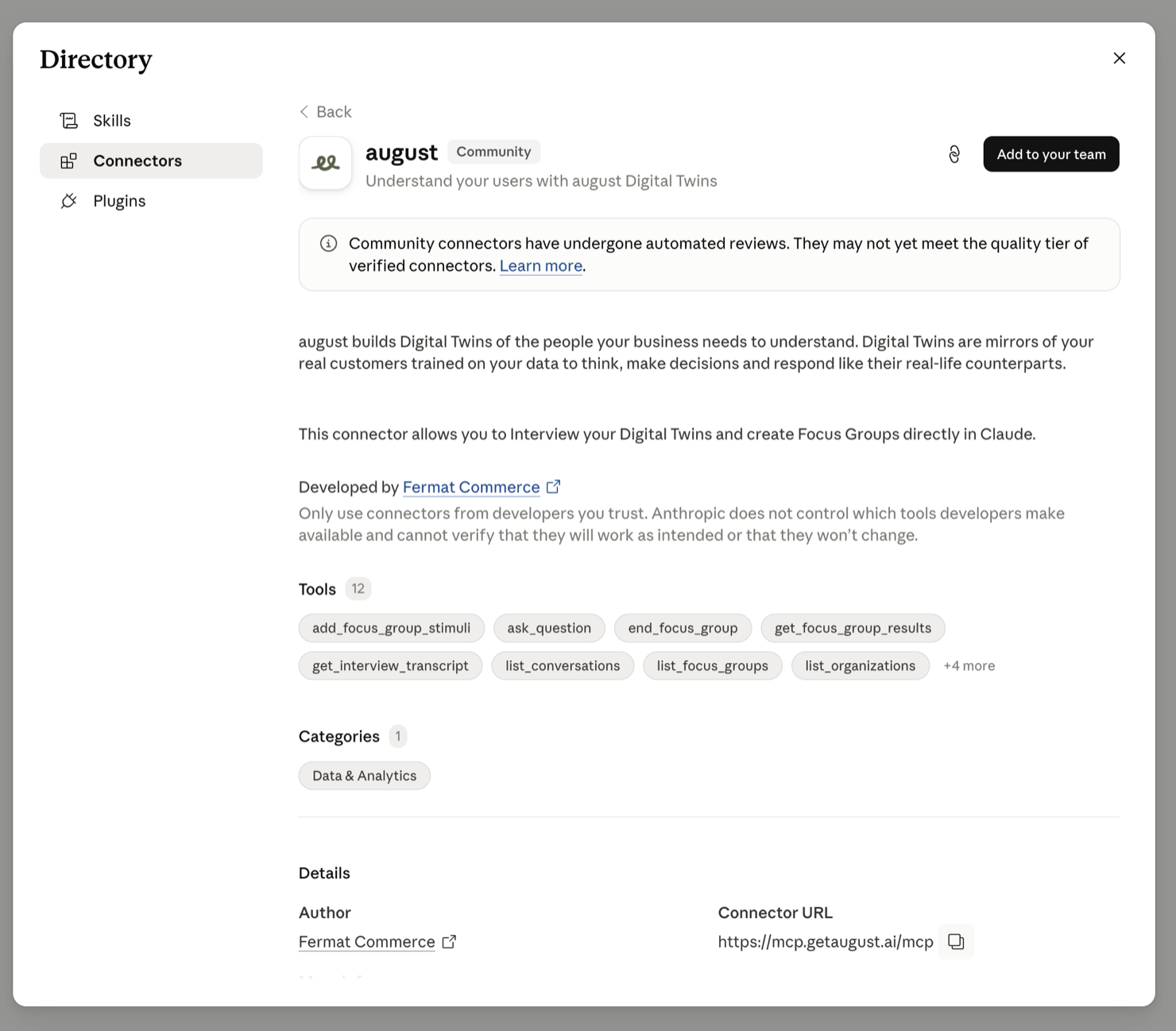
Go to Settings, then Connectors, click Connect next to august and sign in with your august account.
In a chat, click the + button in the message box, open Connectors and toggle august on.
Then ask Claude things like "Run a quick focus group with my Twins on this pricing page."
If the directory isn't available to you for some reason, you can also add august manually: Settings, then Connectors, Add custom connector, name it august and paste https://mcp.getaugust.ai/mcp as the URL.
Claude Code
If you live in the terminal, it's one command:
claude mcp add --transport http august https://mcp.getaugust.ai/mcp
Run /mcp inside Claude Code afterwards to sign in.
Cursor
MCP works on every Cursor plan. The fastest way in is the install button, which hands the server config straight to Cursor:
- Click the button. Your browser opens Cursor with august pre-filled.
- Click Install in the dialog Cursor shows.
- Cursor will prompt you to log in to the server. Sign in with your august account and you're set.
Cursor's agent picks up the tools on its own, so you can ask things like "Interview three of my Twins about this checkout flow" right in chat.
If the button doesn't open Cursor, add it by hand: open Cursor Settings, find the MCP section and add a new server. Cursor opens its mcp.json config file; paste this in:
{
  "mcpServers": {
    "august": {
      "url": "https://mcp.getaugust.ai/mcp"
    }
  }
}
Save the file, then click log in next to august in the MCP list.
ChatGPT
Custom MCP apps require a paid ChatGPT plan (Plus, Pro, Business, Enterprise or Edu) and get set up on the web app. On Business, Enterprise and Edu an admin may need to enable them first.
Open chatgpt.com and go to Settings, then Apps.
Open Advanced settings and turn on Developer mode. Custom MCP apps are hidden until this is on.
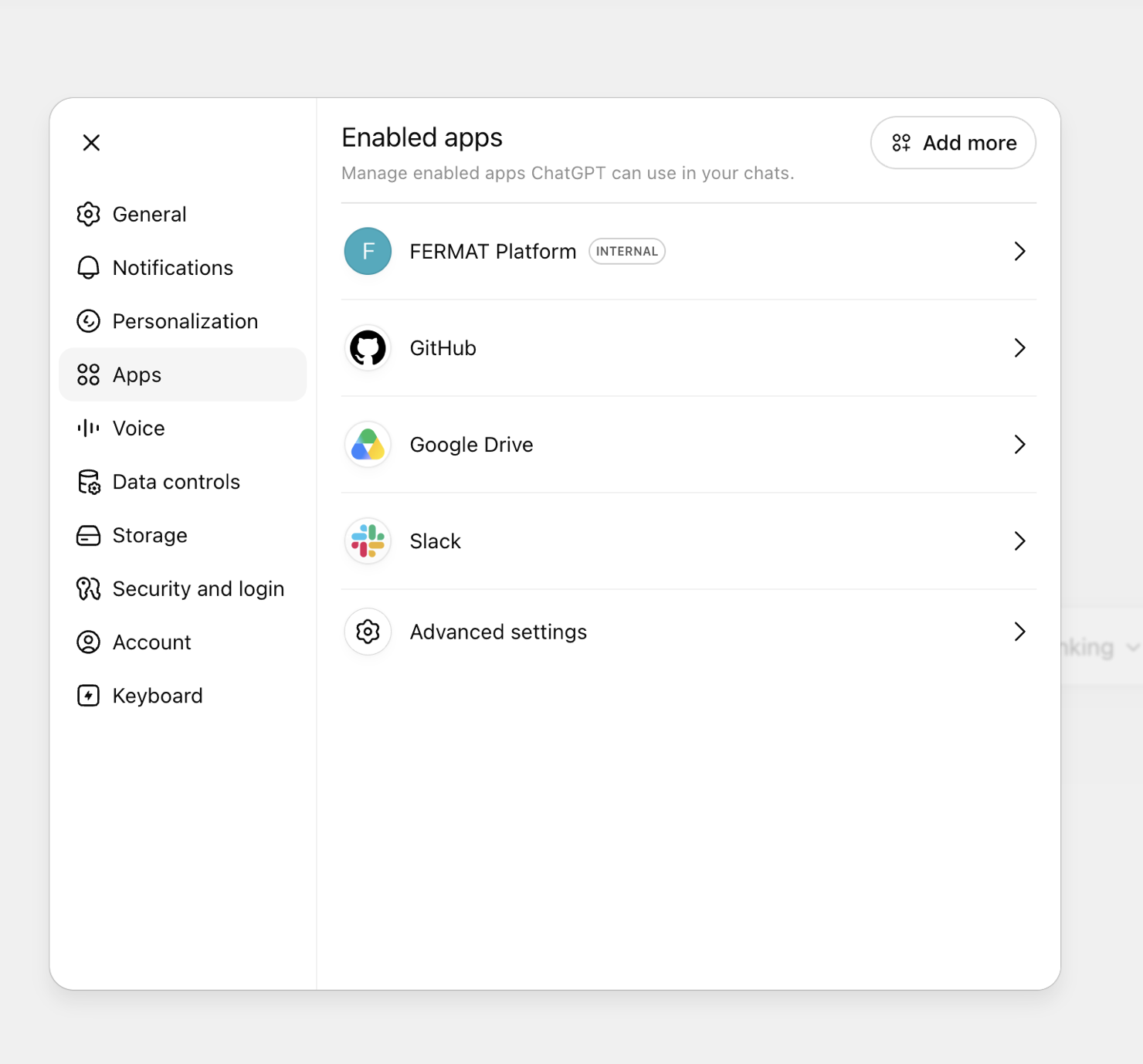
Back on the Apps page, click Add more and create a new app.
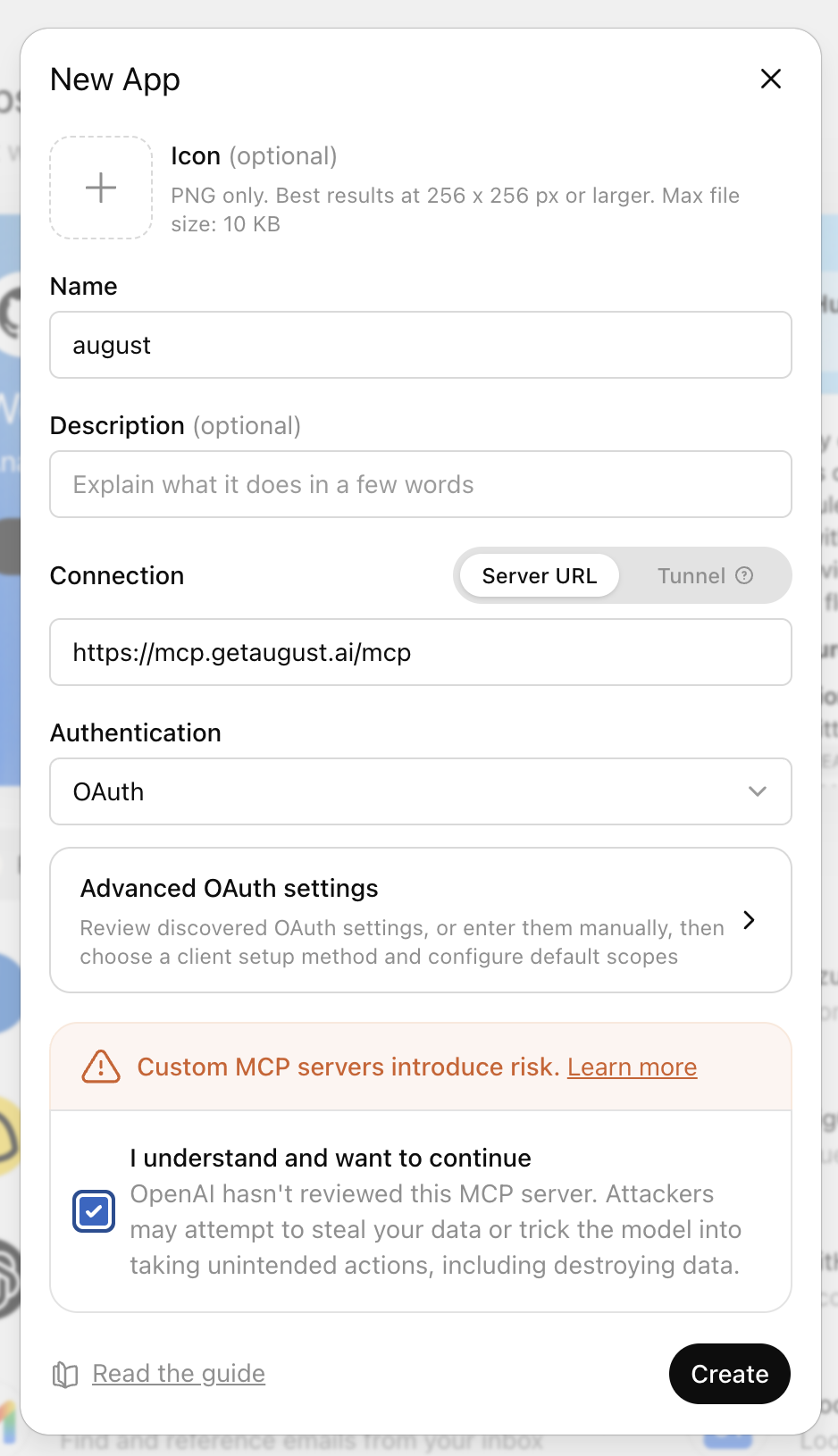
In the New App dialog, name it
augustand pastehttps://mcp.getaugust.ai/mcpinto the Server URL field under Connection. Leave Authentication on OAuth. Description is optional.ChatGPT warns that custom MCP servers introduce risk. Check I understand and want to continue, then click Create.
Sign in with your august account when the prompt appears.
In a new chat, click + in the message box and pick august under Apps, then ask away.
If something doesn't connect
- Make sure the URL is exactly
https://mcp.getaugust.ai/mcp, including the/mcpat the end. - Sign-in problems usually mean you're logged in to the wrong august account. Log out at app.getaugust.ai and reconnect.
- On company plans (Claude Team/Enterprise, ChatGPT Business/Enterprise), connectors can be restricted by an admin. If you can't add august in Claude, ask an owner or admin to add it from the directory listing. In ChatGPT, an admin may need to enable custom apps first.