








How to install our Slack App

Josh Feiber
July 8, 2026
The august Slack app brings your Digital Twins into the place your team already talks. Mention @august in a channel or send it a DM and it will answer with predictions and feedback from your Twins.
Installing takes about a minute.
Install the app
- Open slack.getaugust.ai/slack/install.
- Sign in to Slack if your browser asks you to. Slack needs to know which workspace you're installing to.
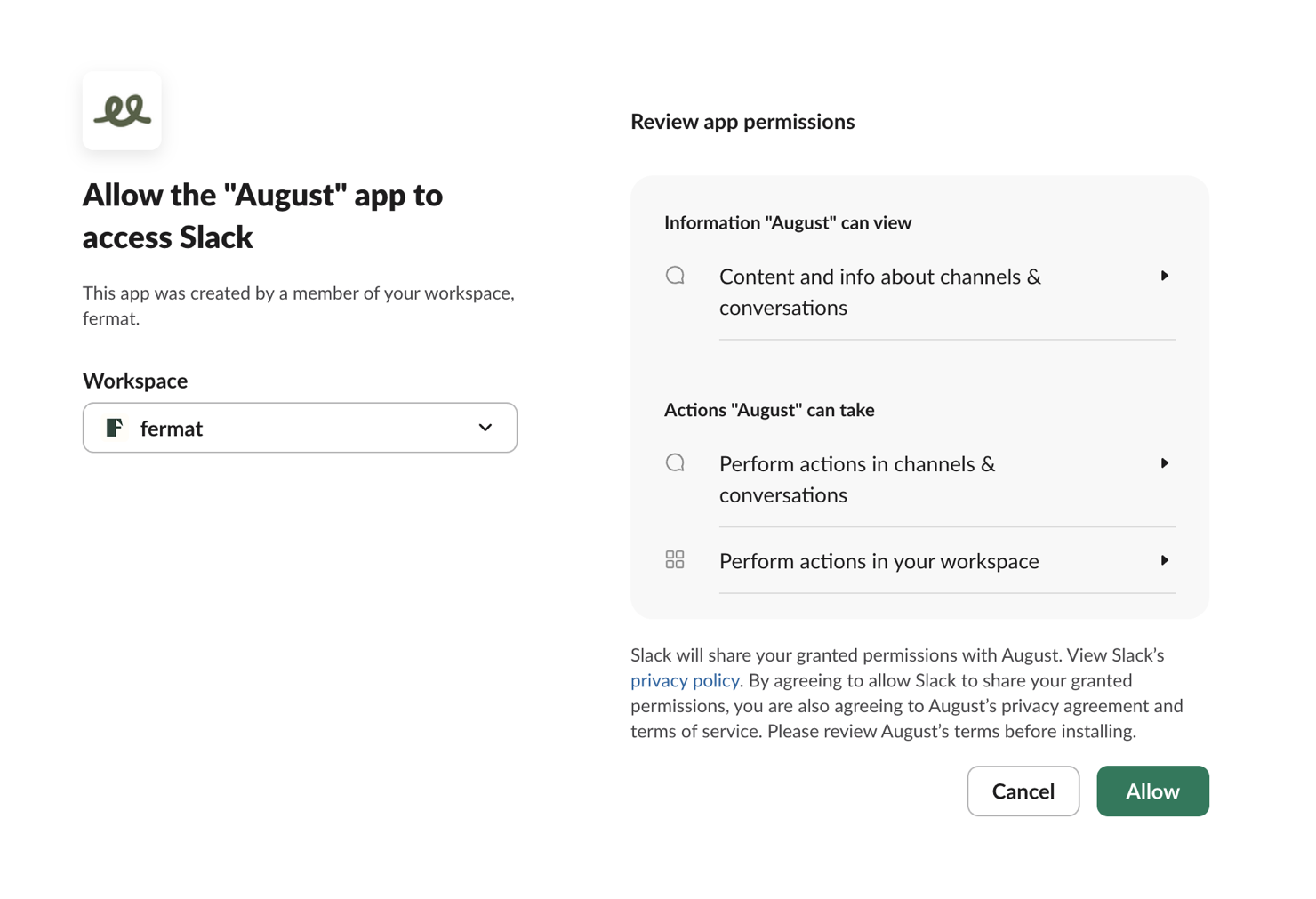
- Slack shows a permission screen listing what the app can read and do. Double check the Workspace dropdown and switch it if it's pointing at the wrong workspace.
- Click Allow.
Slack confirms the install and august shows up under Apps in your sidebar.
If you don't see an Allow button
Some workspaces require admin approval before new apps can be installed. If that's your workspace, Slack shows a request button instead. Submit the request with a note for your admin. Once they approve, open the install link again and you'll be able to click Allow.
Say hello
- Send august a DM: find it under Apps in the sidebar and ask it something.
- Use it in a channel: type
/invite @augustin the channel, then mention @august with your question.